Staff, vendors, visitors, doors
Commercial Access Control in Chicago
Commercial doors have their own rhythm: employees arriving early, vendors at the rear door, customers at the front, and someone who lost a key last Friday. Access control should make that easier to manage.
- Front, rear, staff, and service doors
- Keypad, fob, mobile, and card access
- Visitor entry with video intercom options
Who it fits
For businesses that need predictable entry control
Commercial access control can manage employee, vendor, visitor, and after-hours entry using keypads, fobs, cards, mobile credentials, controlled door hardware, and video intercom where visitor screening is needed.
This is for Chicago-area businesses that need more control than keys but do not want an overbuilt system that nobody wants to manage.
A commercial access project should respect how the business actually opens, closes, receives deliveries, and handles the person who always forgets their fob.
Good fit for
- Offices and professional suites
- Retail and showroom spaces
- Warehouses and light industrial doors
- Studios, clinics, schools, and shared workspaces
Problems solved
Common problems this service addresses
Entry issue
Too many keys are in circulation
Entry issue
Former employees or vendors may still have access
Entry issue
Rear-door traffic is not controlled well
Entry issue
Staff entry and visitor entry are being treated as the same problem
System types
Recommended system options
The final recommendation should follow the building conditions, user needs, and door hardware. That keeps the project practical after the installer leaves.
- Single-door and multi-door access control
- Fob, card, keypad, and mobile credentials
- Video intercom visitor screening
- Electric strike, maglock, and request-to-exit hardware
Chicago reality check
What changes the recommendation on a real building
A useful recommendation should survive the site visit. Around Chicago, that means looking past the product name and checking the door, wiring, weather exposure, users, and day-to-day management.
The door decides more than the brochure
For commercial access control, the entry door, frame, closer, latch, strike, and power supply can matter as much as the panel. A nice screen will not fix a door that does not close cleanly in February.
Old wiring deserves a real look
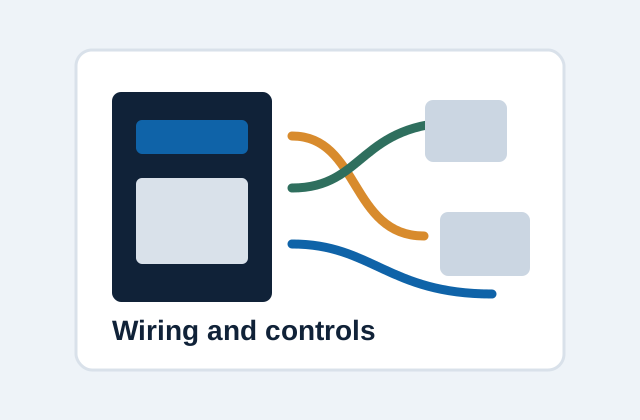
Many Chicago buildings have cable that has been reused, spliced, abandoned, or labeled by someone who moved on years ago. Testing the wire before choosing equipment keeps the project grounded.
Management has to live with it
Resident names, vendor access, move-ins, packages, and after-hours calls all become part of the system. The right setup should reduce phone calls to the manager, not create new ones.
Repair, replace, or upgrade
How to think about the next step
The right choice is not always the newest equipment. Sometimes a focused repair buys years. Sometimes another patch just resets the complaint clock.
| Path | When it makes sense | Site signal to check |
|---|---|---|
| Repair the current system | Best when the failure is isolated, parts are available, and the building is still happy with the basic workflow. | Too many keys are in circulation |
| Replace the panel or shared equipment | Worth considering when the front panel, amplifier, directory, reader, or door release is the weak link but wiring may still be usable. | Door count and door type |
| Upgrade the system | Makes more sense when resident access, package traffic, remote answering, or management controls have outgrown the old setup. | Single-door and multi-door access control |
Process
Installation or upgrade process
The process starts with a real look at the property. Door entry projects go better when the wiring, lock, power, and manager needs are understood before parts are ordered.
- Map normal entry patterns for staff, visitors, vendors, and deliveries.
- Inspect doors, locks, frames, power, and cable paths.
- Choose credential and intercom options that fit operations.
- Install, test, and document how users are added and removed.
Before the site visit
Details that make the first conversation useful
A few clear details can prevent a vague quote. The goal is not to make the owner diagnose the system; it is to avoid missing the obvious door, wiring, or access issue before anyone starts pricing parts.
Helpful details to send
- Current panel brand or model, if it is visible
- Number of apartments, offices, staff, residents, or regular users
- Every entry door, gate, lobby, vestibule, rear door, or package door involved
- Photos of the outside panel, latch side of the door, power supply, and wiring area
- What still works, what fails every day, and what only fails when the weather gets ugly
Cost factors
What affects cost
Pricing depends on building size, wiring, number of entry points, and system type. The goal is to avoid surprises by checking the pieces that usually drive labor and equipment scope.
- Door count and door type
- Credential method
- Hardware condition and code requirements
- Cloud management and user count
- Visitor video or intercom integration
Project photos coming soon
Photo spots for this page
These placeholders mark the real photos to add later. Actual building photos should show the entry condition, hardware, and finished work without exposing sensitive tenant or access details.
Areas served
Chicago service area
Service covers Chicago neighborhoods including Lincoln Park, Lakeview, River North, Wicker Park, and West Loop, with nearby suburban work in Evanston, Skokie, Winnetka, Wilmette, and Northbrook.
FAQ
Questions about commercial access control
Can access be limited by staff schedule?
Many access control systems support schedules, user groups, and credential changes, depending on the chosen platform.
Can one system handle front and rear doors?
Yes, if wiring, hardware, and controller capacity are planned for multiple doors.
Can commercial access control include video intercom?
Yes. Staff access and visitor screening are often handled together, especially at locked front entries.
Talk through commercial access control
Share the building type, neighborhood, number of units or users, entry points, and what is happening with the current system.